


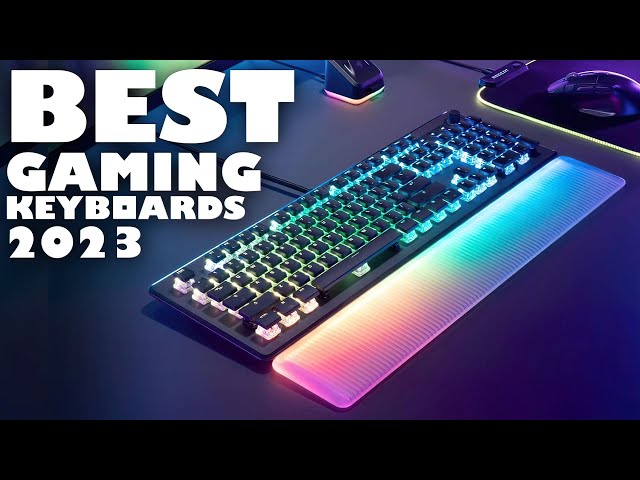
Gaming keyboards have become an essential tool for gamers looking to enhance their gameplay experience. Whether you’re a casual player or a professional esports competitor, customizing your gaming keyboard can drastically improve comfort, performance, and style. In this article, we’ll dive into the world of keyboard customization, focusing on keycaps, switches, and other elements that can elevate your setup.
Why Customize Your Gaming Keyboard?
A standard gaming keyboard might work fine out of the box, but customization allows you to tailor the device to your preferences. From the tactile feel of your keys to the aesthetic of your setup, customizing your gaming keyboard ensures it suits your unique style and gaming needs.
Keycaps: The First Layer of Personalization
One of the most popular ways to customize your gaming keyboard is by changing the keycaps. Keycaps come in various materials such as ABS or PBT, each offering different textures and durability. Custom keycaps also come in a wide range of colors, shapes, and designs, allowing you to add personality to your keyboard.
Aside from aesthetics, specialized keycaps can enhance gaming performance. For example, textured or sculpted keycaps on WASD or arrow keys help you navigate without looking, providing an edge during fast-paced games.
Switches: The Heart of Your Keyboard
Switches are often considered the most critical component when customizing your gaming keyboard. They determine the feel, sound, and responsiveness of your keys. Mechanical switches come in several types:
- Linear switches offer smooth keystrokes without tactile bumps or clicks, ideal for fast key presses.
- Tactile switches provide a noticeable bump to signal key activation.
- Clicky switches add an audible click for feedback.
Choosing the right switch depends on your gaming style and personal preference. For example, many FPS gamers prefer linear switches for rapid firing, while typists might lean towards tactile or clicky switches.
Beyond Keycaps and Switches: More Ways to Customize
Customizing your gaming keyboard doesn’t stop at keycaps and switches. Other components and accessories include:
- Custom cables: Replace standard USB cables with braided or coiled cables for better durability and aesthetics.
- Keyboard cases: Swap out the case to change the look and feel of your keyboard chassis.
- Sound dampening: Add foam or silicone pads inside the keyboard to reduce noise.
- Backlighting: Customize RGB lighting to create personalized lighting profiles and effects that sync with your gaming setup.
Conclusion
Customizing your gaming keyboard: keycaps, switches, and more, is a rewarding way to enhance both the look and functionality of your setup. By selecting the right keycaps and switches, and exploring additional customization options, you can create a keyboard perfectly suited to your gaming style and aesthetic preferences. Whether you prioritize performance, comfort, or style, investing in customization will make your keyboard uniquely yours.
