


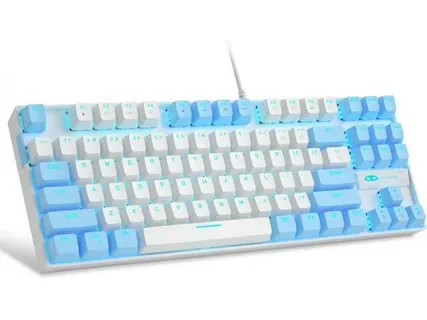
Tenkeyless (TKL) keyboards have gained popularity among enthusiasts for their compact design and ergonomic benefits. If you’ve recently acquired one or are considering customizing your TKL keyboard, this beginner’s guide will walk you through the essential steps and options available to personalize your typing experience.
What is a TKL Keyboard?
A TKL keyboard is a tenkeyless keyboard, which means it lacks the numeric keypad found on full-sized keyboards. This design reduces the keyboard’s overall size, making it more portable and allowing for a more ergonomic positioning of your mouse.
Why Customize Your TKL Keyboard?
Customizing your TKL keyboard can greatly enhance both the aesthetics and functionality. From changing keycaps to modifying switches, you can tailor your keyboard to suit your typing preferences, improve comfort, and express your personal style.
Getting Started with Customizing Your TKL Keyboard
1. Choosing Your Keycaps
One of the easiest and most visible ways to customize your TKL keyboard is by swapping out the keycaps. Keycaps come in various materials like ABS or PBT, and different profiles such as OEM, Cherry, or SA. Select keycaps that feel comfortable and look appealing to you.
2. Upgrading Switches
If your TKL keyboard allows for hot-swappable switches, you can try different mechanical switches to find the perfect balance of tactile feedback and sound. Popular options include Cherry MX Browns for a tactile feel or Reds for a quieter, linear press.
3. Adding Stabilizers and Sound Dampeners
For a quieter and smoother typing experience, consider upgrading your stabilizers or adding foam inside the case. These modifications reduce rattling and improve the overall acoustics of your keyboard.
Tools and Accessories You’ll Need
Before you start customizing your TKL keyboard, gather some essential tools such as a keycap puller, switch puller (if applicable), and a small screwdriver. Having the right tools makes the process easier and helps avoid damage to your keyboard components.
Tips for Beginners
- Start Small: Begin with simple customizations like changing keycaps before moving on to switch replacements or internal mods.
- Research Compatibility: Ensure that the keycaps and switches you choose are compatible with your TKL keyboard’s layout and PCB.
- Watch Tutorials: Many online videos and forums provide step-by-step guides that can be invaluable for beginners.
Conclusion
Customizing your TKL keyboard can be a fun and rewarding project that enhances your typing comfort and style. Whether you are swapping keycaps or upgrading switches, this beginner’s guide is designed to help you take the first steps. With patience and the right tools, you’ll soon enjoy a uniquely personalized keyboard that’s tailored just for you.
